
Award Ceremony RSVP Website: Seating, Plus-Ones, and a Clean Headcount
Build an award ceremony RSVP website that locks seating capacity, collects plus-ones and meal choices, and gives your stage team a dependable headcount without spreadsheet chaos.
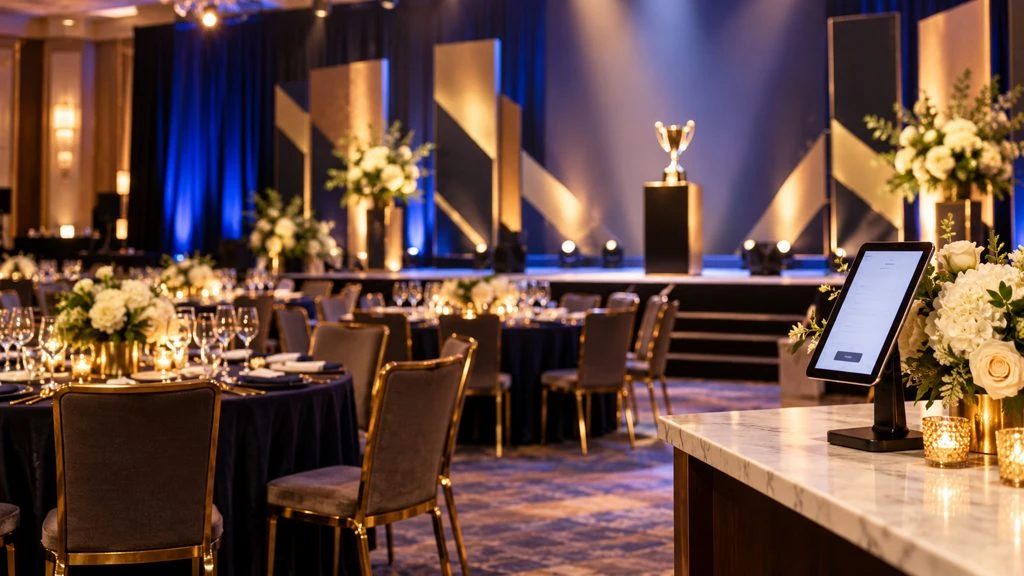
An award night lives or dies on logistics you cannot see from the stage: table capacity, meal guarantees, plus-ones, accessibility seating, and who is actually walking the aisle when their name is called. A dedicated award ceremony RSVP website puts those answers in one place so your program team is not reconciling three spreadsheets an hour before doors open.
Whether you are running a company excellence night, a nonprofit honors gala, a campus awards banquet, or an industry association ceremony, the pattern is the same: one shareable page, clear questions, a real deadline, and an export your venue and caterer can trust.
Why award ceremony RSVPs get messy
Award events mix celebration with precision. Nominators, finalists, executives, sponsors, and general guests often arrive through different invite paths. Common failure modes:
Double counting. A nominee RSVPs, then their manager RSVPs the same household again.
Plus-one ambiguity. Some tickets include a guest; others do not. Email threads muddy the rule.
Meal and seating lag. Caterers need numbers weeks out; your list is still “about 180.”
Stage surprises. Presenters and winners need confirmed attendance, not hopeful maybes.
An online RSVP page will not write your script. It will stop the guest list from becoming the bottleneck.
What belongs on the RSVP page
Lead with the facts guests need before they commit:
Event name, host organization, and award theme
Date, doors time, program start, and expected end
Venue address, parking, and coat check notes
Dress code (black tie, business formal, creative black tie)
Whether dinner, reception-only, or ceremony-then-party
RSVP deadline and capacity policy
For a polished layout reference, browse the Excellence Awards Gala example or the simpler award ceremony RSVP example—both show how schedule and host details can sit next to a clear response form.
Fields that help seating and catering
Keep the form short. Prioritize fields your floor plan and kitchen will actually use:
Name and email for confirmations and day-of changes
Attendance — Yes / No (and maybe only if you truly honor maybes)
Plus-one — allowed or not, with guest name when yes
Affiliation — nominee, presenter, sponsor table, staff, general guest
Meal choice when plated dinner is served
Dietary restrictions separated from preferences when possible
Accessibility needs for aisle seating, step-free entry, or ASL
Table preference notes only if your team will honor them
If your night is closer to a fundraising dinner with paddle raises, pair these ideas with the checklist in our nonprofit gala RSVP website guide. For stricter formal attire and arrival flow, see black-tie gala RSVP website.
Capacity, tables, and waitlists
Ballrooms sell out by table, not by vibes. Decide your hard cap early (fire code and round-table math), then state it on the page: “We can seat 220 guests. When we reach capacity we will open a waitlist.” Do not keep accepting yeses after the caterer lock.
For guest-friendly wording and waitlist mechanics, use how to set RSVP capacity limits. Export yeses by affiliation so sponsor tables and nominee rows are filled before general overflow.
Invite tracks without three tools
Many hosts need layered invites:
Nominees and presenters (must-confirm list)
Sponsors and VIP tables
General ticketed or complimentary guests
You can run one RSVP website with an “I am attending as…” question, or separate links if lists must stay private. Either approach beats juggling Eventbrite for one group and a spreadsheet for another. If the ceremony sits inside a broader company event calendar, keep roster hygiene consistent with our corporate event RSVP website practices.
Share one link—and a tested QR on print
Put the same URL on email, Slack/Teams, sponsor packets, and printed save-the-dates. Changing links per channel fractures your dashboard.
For programs, table cards, and poster easels, a QR code that opens the RSVP page removes typing errors. Follow the testing tips in QR code event invitations so guests never land on a stale short link the week of the show.
Suggested timeline
6–8 weeks out: Publish the page; invite nominees and presenters first
4–5 weeks out: Open sponsor and general invites; set capacity
3 weeks out: Soft reminder to non-responders
2 weeks out: Close or tighten RSVPs; lock catering counts
72 hours out: Export final list; build seating chart; brief stage managers
Day of: Check-in list from the same export—no new spreadsheet
Sample questions you can copy
“Will you attend the [Award Name] ceremony on [date]?”
“Are you bringing a plus-one? If yes, guest full name.”
“Which best describes you?” — Nominee / Presenter / Sponsor / Staff / Guest
“Meal selection” — options your caterer actually offers
“Dietary allergies we must accommodate” — short optional text
“Accessibility or seating needs” — short optional text
Required fields should stay minimal. Optional fields capture nuance without killing completion rates.
Day-of check-in that matches the program
Export PDF or CSV from your RSVP dashboard. Sort by last name for the door, and keep a second view of nominees/presenters for the stage manager. Mark walk-ins only if you still have seats, and add them to the export so thank-you notes and photo releases stay accurate.
If awards are announced live, confirm winners’ attendance the morning of—your RSVP yes list is the fastest call sheet.
How award RSVPs differ from a general party
A birthday or mixer can tolerate fuzzy headcount. An award ceremony cannot. Presenters need confirmed bios, AV needs a run of show tied to real people in seats, and sponsor tables often carry contractual minimums. Treat the RSVP deadline as an operations deadline, not a soft suggestion.
Also plan for declines among nominees. Keep a short backup list of alternate presenters or table hosts so an empty chair does not become a stage problem. Your RSVP no responses are useful signal—not just leftover rows.
Privacy and nominee sensitivity
Some organizations keep nominee lists quiet until the night of. If that is your policy, avoid public pages that list categories and names. Use a generic ceremony description for general guests and a separate private link for nominees. Never publish vote tallies or internal shortlists on the RSVP page.
Mistakes to avoid
Treating “interested” social counts as seating numbers
Allowing unlimited plus-ones on a sold-out floor plan
Collecting meal choices after the caterer deadline
Using different tools for nominees vs general guests
Skipping a mobile test of the RSVP page before the blast
Ready for a cleaner awards night?
Stand up a focused ceremony page, share one link (with a tested QR on print), and manage capacity from a single dashboard. You can create your SnapRSVP page in minutes, or start from the award ceremonies RSVP website flow when you want event-type defaults already in mind.
When the spotlight hits, your guest list should already be settled.