
Potluck RSVP: What to Ask Guests to Bring Without Duplicates
Build a potluck RSVP that coordinates dishes, servings, dietary needs, kitchen logistics, and attendance so guests know what to bring before party day.
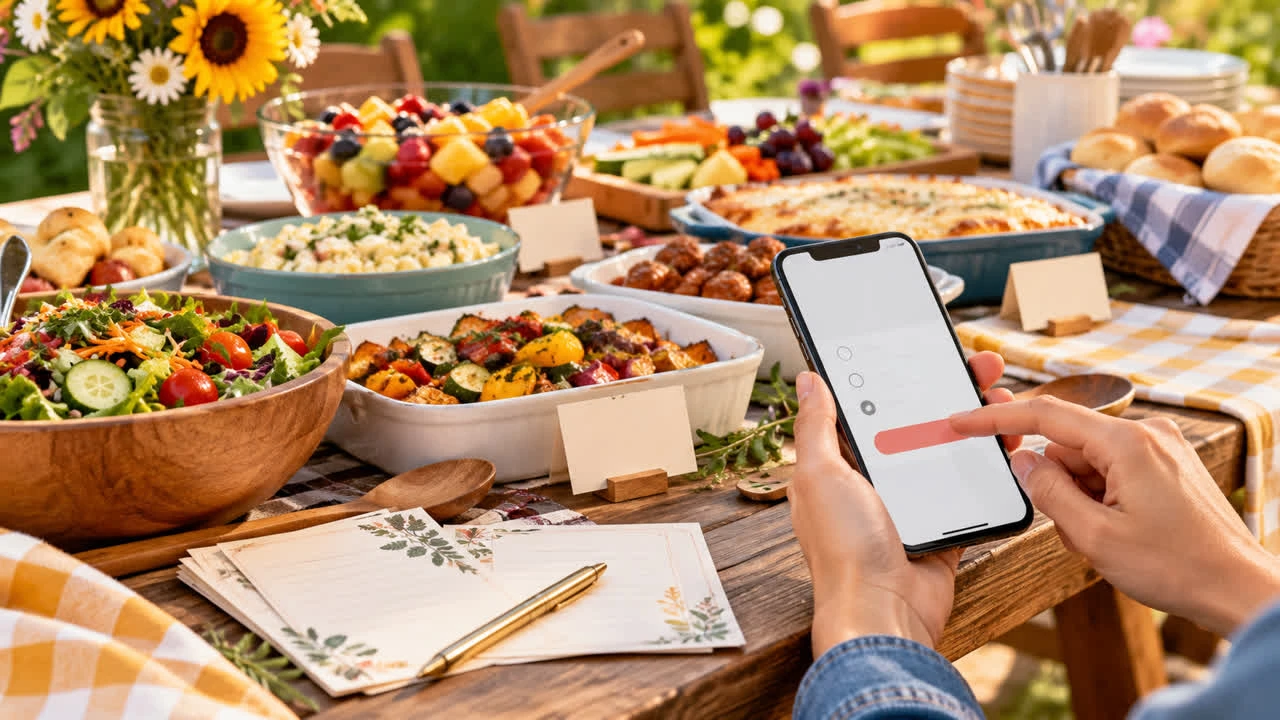
A potluck RSVP needs to answer two questions at once: Who is coming, and what will be available to serve? If the form asks only for attendance, the host may end up with five desserts and no main dish. If it asks guests to claim an overly specific recipe, the sign-up becomes tedious. The best potluck RSVP balances structure with choice.
Before inviting the group, create a potluck RSVP page with SnapRSVP and decide how much coordination the host will handle. A casual neighborhood picnic may need only a dish category and serving estimate. A seated dinner with allergies and a small kitchen needs more detail.
Start with a reliable headcount
Ask each household or guest to confirm attendance, then collect the number of adults and children when portions or seating depend on it. If guests may bring someone, state whether plus-ones are included and whether each person needs to submit a separate response.
List the date, arrival time, address, parking, and RSVP deadline above the food questions. Guests should not have to complete a dish sign-up to discover that the event overlaps with a school pickup or that the host cannot provide refrigeration.
Use categories before exact recipes
Choose categories that reflect your menu: main dish, side, salad, bread, appetizer, dessert, fruit, drinks, or supplies. Add a target number of servings for each category. Then invite guests to describe the dish in one short field. “Main dish — serves 8” gives the host useful coverage without dictating whether someone brings baked pasta, curry, or grilled vegetables.
Main dishes: Ask for enough servings to anchor the meal, including a vegetarian or vegan option when appropriate.
Sides and salads: Keep a balance between fresh, cooked, and filling choices.
Appetizers: Note whether guests can eat them without plates or utensils.
Desserts and fruit: Set a soft limit so the menu does not become dessert-only.
Drinks: Separate nonalcoholic drinks, ice, coffee, and adult beverages if relevant.
Supplies: Ask for serving utensils, cups, plates, napkins, coolers, or folding tables when the host lacks them.
If the RSVP tool cannot display a live shared sign-up list, have the host review responses and follow up when categories fill. Do not promise that guests can see real-time dish availability unless the page actually supports it. A simple category plus description is still much easier to coordinate than a group chat full of “What should I bring?”
Ask about portions and serving logistics
“One dish” means different things to different people. Ask how many guests the contribution serves, whether it needs oven space or refrigeration, and whether the guest is bringing a serving utensil. For a park or outdoor event, ask whether the dish can travel safely and whether the guest can bring it in a cooler.
Do not require a recipe or ingredient list unless the event has a real allergy-management need. A short description such as “sesame noodles, serves 10, contains peanuts” is often enough. If severe allergies are involved, tell guests that the host cannot guarantee an allergen-free kitchen or labeling system and provide a direct contact for questions.
Make dietary information useful
Collect dietary restrictions for attendees, not just the person bringing food. A guest may bring a gluten-free dish and still need to know whether shared utensils create cross-contact. Label the question clearly and ask hosts to identify major allergens in their dish description when possible.
Keep a few reliable options under the host’s control. Relying entirely on guests to cover every dietary need can leave someone without a safe meal. Include a note that guests with serious allergies should contact the host before eating, even when a dish appears suitable.
Set a deadline and a backup plan
Set the RSVP deadline early enough to review category gaps and contact people before the event. A week before the potluck, check the list for missing mains, drinks, ice, or serving equipment. Ask one or two confirmed guests whether they can fill a gap; do not pressure everyone to change their contribution.
Have a host-owned backup plan for essentials. Keep shelf-stable drinks, disposable serving pieces, or an easy main dish available if someone cancels. If the event is outdoors, specify what happens in bad weather and whether the RSVP remains valid at the alternate location.
Share the sign-up in one clear message
Send one link with the event details, what to bring, and the response deadline. A reminder can say, “Please check your dish description and serving count,” rather than asking everyone to repost their plans. You can explore SnapRSVP event page examples for ideas on putting instructions before the form, then use the page for schedule or location updates.
Keep the host in charge of the final menu
Guests should be able to suggest a dish, but the host should make the final call when two contributions overlap or a category is already full. A quick private message can turn a second tray of brownies into fruit, drinks, or a needed side without embarrassing anyone. Thank people for volunteering and frame changes as coordination, not correction.
Potluck RSVP checklist
Confirm attendance, party size, and plus-one rules.
Create practical food and supply categories.
Ask for serving estimates and a short dish description.
Collect dietary needs for attendees and explain allergy limits.
Review category gaps before the deadline.
Keep a host-owned backup for the essentials.
A potluck RSVP should make contribution choices easier, not turn a friendly meal into a contract. Give guests useful categories, communicate the serving goal, and review the responses before shopping. For more ways to keep an event page organized, find more event planning guides on SnapRSVP.